On this page
- At a glance
- How websites tell them apart
- Why datacenter IPs get flagged
- Residential proxies: how they work and why to be careful
- Where VPN IPs fit
- Mobile IPs: the special case
- Which should you use?
- FAQ
- What is the difference between a residential and a datacenter IP?
- Why do websites block datacenter IPs?
- Are residential proxies safe or legal?
- Is a VPN IP residential?
- Related guides
- Sources
Last reviewed: 2 November 2026 · By the CloakMyIPAddress Privacy Desk
Short answer: a residential IP comes from a home internet provider (Telia, Orange, Deutsche Telekom, Vodafone and so on) and looks like an ordinary household to websites. A datacenter IP belongs to a hosting or cloud company and looks like a server. Most VPN servers use datacenter IPs, which is why VPN users see more CAPTCHAs and streaming errors. “Residential proxies” sell access to home IPs, but those IPs have to come from someone’s home, and that’s where the ethical and security problems start.
Check what type of network your current IP belongs to: What’s my IP?
At a glance
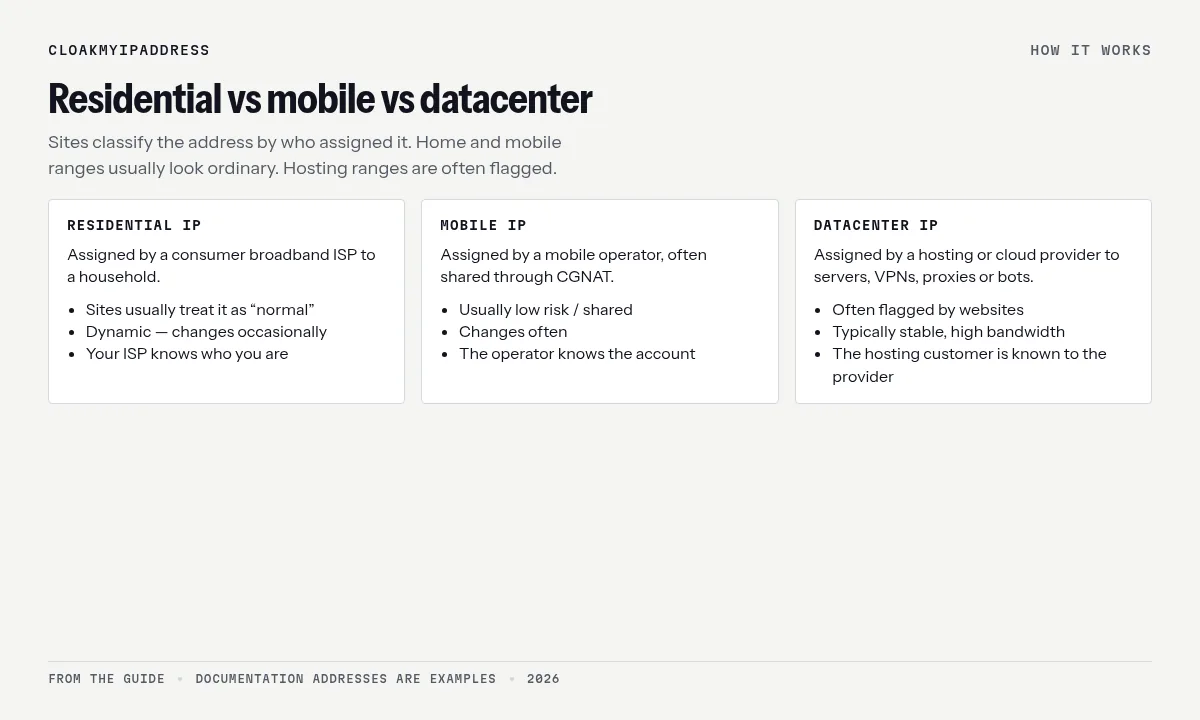
| Residential IP | Mobile IP | Datacenter IP | |
|---|---|---|---|
| Assigned by | Consumer broadband ISP | Mobile operator | Hosting / cloud provider |
| Typical user | A household | Many phones (often via CGNAT) | Servers, VPNs, proxies, bots |
| How sites see it | Low risk, “normal” | Low risk, shared | Higher risk, often flagged |
| Stability | Dynamic, changes occasionally | Changes often | Stable |
| Speed | Depends on the home line | Variable | High bandwidth |
| Who knows who you are | Your ISP | Your operator | The hosting customer (e.g. the VPN) |
How websites tell them apart
Every public IP belongs to a network with an autonomous system number (ASN), recorded in registry data (the RIPE NCC in Europe). If the ASN belongs to Amazon Web Services, Hetzner, OVHcloud, M247 or another hosting provider, the address is almost certainly a server. If it belongs to a consumer ISP, it’s probably residential or mobile.
Commercial databases go further. MaxMind, for example, sells a Connection Type database (classifying addresses as cable/DSL, cellular or corporate) and an Anonymous IP database that flags VPNs, hosting providers, public proxies, residential proxies and Tor exit nodes. Fraud and streaming services combine these flags with other signals:
- Many accounts or logins from the same IP
- A mismatch between IP location and your device’s time zone or language
- WebRTC or DNS leaks revealing a different network
- Browser fingerprinting
More on what a lookup shows: IP address lookup explained.
Why datacenter IPs get flagged
Datacenter IPs aren’t bad; they run most of the internet. But they’re cheap to rent in bulk and they’re where automated traffic comes from: scrapers, credential-stuffing bots, spam and fake sign-ups. So some sites treat them with suspicion:
- Search engines and shops show CAPTCHAs or rate-limit.
- Banks and payment providers add verification steps.
- Streaming services block known VPN and proxy ranges to enforce regional licences.
- Some forums and ticketing sites block hosting ranges entirely.
IP reputation also matters: if others using the same VPN server misbehave, the address picks up a poor score. That’s why switching VPN servers often fixes a CAPTCHA loop.
Residential proxies: how they work and why to be careful
A residential proxy service lets you send traffic out through someone else’s home internet connection, so your requests look like an ordinary household. They’re used for ad verification, price monitoring and testing, and also for scraping, sneaker bots and fraud.
The question is where the home IPs come from. Some networks recruit users openly and pay them. Others bundle proxy software into free apps, browser extensions or cheap streaming boxes, so people’s devices relay strangers’ traffic without clear consent.
- In January 2026, Google’s Threat Intelligence Group said it had disrupted the IPIDEA network, which it described as one of the largest residential proxy networks in the world. Google said IPIDEA’s SDKs, offered to app developers, “surreptitiously enroll user devices” into the network.
- In May 2024, the US Department of Justice announced the dismantling of the 911 S5 botnet, a residential proxy service built on malware-infected computers, in an international operation.
If you’re a buyer: you may be routing traffic through compromised or unwitting people’s homes. If you’re a household: be wary of apps or devices that pay you for “unused bandwidth”, or that came from unknown sellers. Your IP could end up associated with someone else’s abuse. Under the GDPR, an IP address linked to you can be personal data; see Is an IP address personal data?
Where VPN IPs fit
Most VPN servers run in data centres, so a VPN gives you a datacenter IP shared with other users of that server. That’s good for privacy (your activity blends in with others) but it’s also why streaming and banking sites sometimes push back.
Options if that’s a problem:
- Switch server in the same country. Different IP ranges have different reputations.
- Dedicated IP add-on: still a datacenter IP, but only you use it, so its reputation is yours. Useful for workplace allowlistingand banking. PIA, NordVPN, Surfshark and CyberGhost sell dedicated IPs.
- Split tunnelling: route your bank app outside the VPN on a trusted home network.
- Use your real connection for services that need it, and the VPN everywhere else, especially on public Wi-Fi.
Providers to consider: PIA (dedicated IP add-on, unlimited devices), NordVPN (dedicated IP option), Surfshark and Proton VPN. VPNs that market “residential IPs” are uncommon; ask where the addresses come from before trusting one.
Mobile IPs: the special case
Mobile operators put many phones behind carrier-grade NAT, so one public IP can be used by hundreds of people at once. Websites know this, so they rarely block mobile IPs outright: blocking one would lock out a whole neighbourhood. That’s also why mobile proxies are prized (and abused) and why your phone on 4G or 5G may pass checks your VPN doesn’t.
Which should you use?
| You want to… | Best fit |
|---|---|
| Browse privately at home or on public Wi-Fi | A reputable VPN (datacenter IP, shared) |
| Avoid CAPTCHAs and bank checks | Your normal residential connection, or a VPN dedicated IP |
| Access your work systems with an allowlist | VPN dedicated IP or your company VPN |
| Stay anonymous | Tor Browser (see Tor vs VPN) |
| Scrape at scale | Datacenter proxies from a reputable host, within sites’ terms |
FAQ
What is the difference between a residential and a datacenter IP?
A residential IP is assigned by a consumer ISP to a home connection. A datacenter IP belongs to a hosting or cloud provider and is used by servers, including most VPN and proxy servers. Websites can usually tell them apart from the network (ASN) the address belongs to.
Why do websites block datacenter IPs?
Bots, scrapers and fraud often come from cloud servers, so some sites add CAPTCHAs or block traffic from hosting networks. Streaming services also block known VPN and proxy ranges to enforce licensing.
Are residential proxies safe or legal?
Using a proxy is legal in the EU, but many residential proxy networks route traffic through ordinary people’s devices, sometimes enrolled without clear consent via bundled software. In January 2026 Google said it had disrupted the IPIDEA network, which it described as one of the largest residential proxy networks. Be cautious about where the IPs come from.
Is a VPN IP residential?
Usually not. Most VPN servers run in data centres, so their IPs are classified as hosting or anonymiser addresses. Some providers sell dedicated IPs, which are still datacenter addresses but used only by you.
Related guides
- IP address lookup explained
- Why is my IP location wrong?
- Proxy vs VPN
- How to change your IP on Windows and Mac
Sources
- MaxMind, GeoIP Anonymous IP database: https://www.maxmind.com/en/geoip-anonymous-ip-database
- MaxMind, GeoIP Connection Type database: https://www.maxmind.com/en/geoip2-connection-type-database
- Google Threat Intelligence Group, “Disrupting the World’s Largest Residential Proxy Network” (29 Jan 2026): https://cloud.google.com/blog/topics/threat-intelligence/disrupting-largest-residential-proxy-network
- US Department of Justice, 911 S5 botnet dismantled (May 2024): https://www.justice.gov/opa/pr/911-s5-botnet-dismantled-and-its-administrator-arrested-coordinated-international-operation
- RIPE NCC, RIPE Database: https://www.ripe.net/manage-ips-and-asns/db/
- IETF RFC 6598, shared address space (CGNAT): https://www.rfc-editor.org/rfc/rfc6598
- PIA dedicated IP: https://www.privateinternetaccess.com/vpn-server
- NordVPN Dedicated IP: https://nordvpn.com/features/dedicated-ip/
- Surfshark Dedicated IP and Static IP: https://surfshark.com/features
- CyberGhost Dedicated IP: https://www.cyberghostvpn.com/dedicated-ip